
Leveraging the Permission Groups feature, rather than having to individually assign permissions to each individual user, quickly assign pre-configured user permission settings across one or multiple users. Additionally, should a user ever need a new permission subset, quickly and easily swap out permission groups at the user level.
To access permission groups, navigate to the Admin dropdown in the top navigation bar and select Permission Groups.
On the Permissions Group Page you will see a list of all previously created permissions groups along with options to Edit, View Details, and Delete.
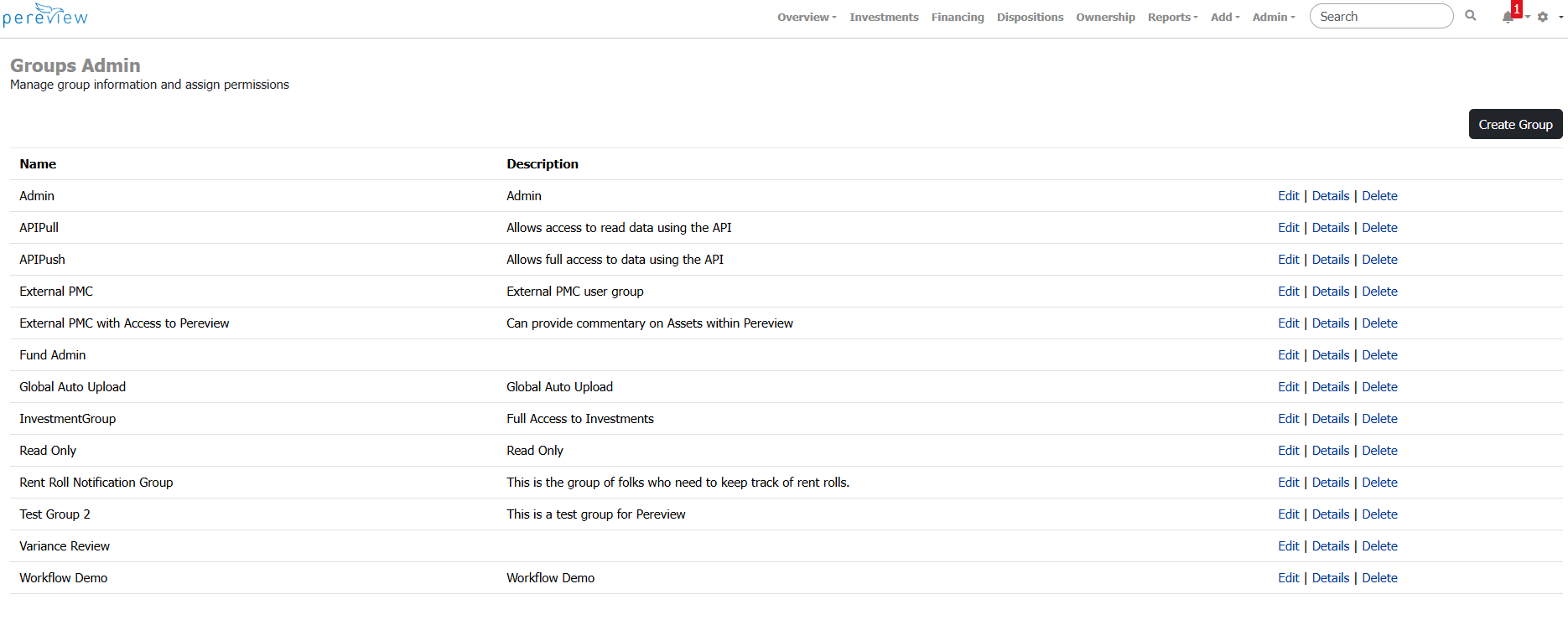
To create a new Permission Group, use the Create Group button in the top right corner of the screen.
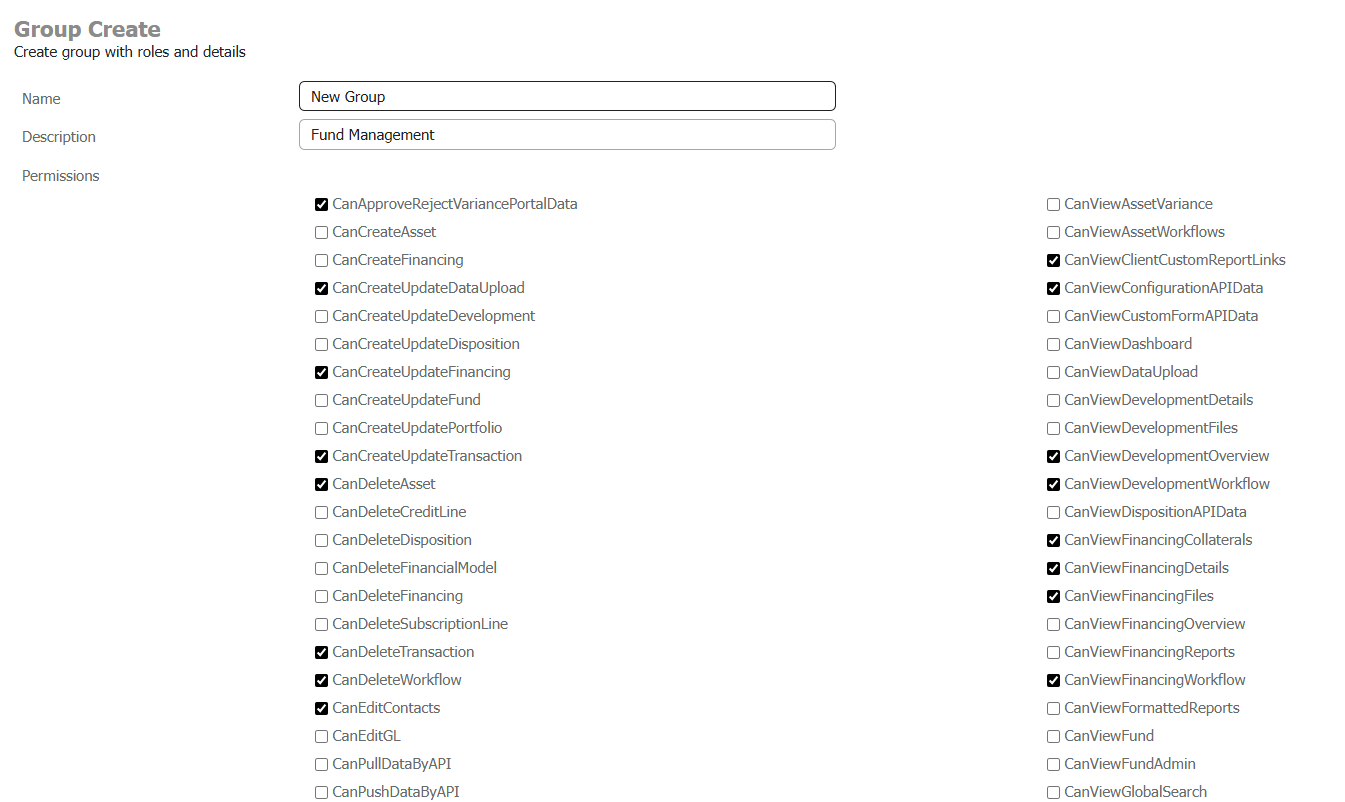
On the New Group page, name the group and give it a description. Then, using the various checkboxes in the permission section, select all permissions you would like to assign to the Permission Group. Once done, click save.
Once you have created a Permission Group, it will now appear as a selectable option on the New User creation screen or when editing an existing user.