Okta Configuration & Setup
Pereview supports SSO tools including Okta. Leveraging your existing Okta setup easily and securely sign in to Pereview.
Note: Contact Pereview support if you are interested in using your existing Okta login for Pereview and support can enable the functionality.
Once support has enabled the functionality on the back end, utilize the below steps to complete the setup in Okta.
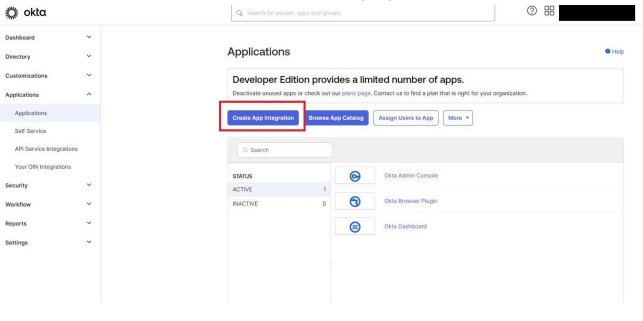
- Log in to Okta and select Applications from the left nav menu. Then select the blue button labeled “Create App Integration.”
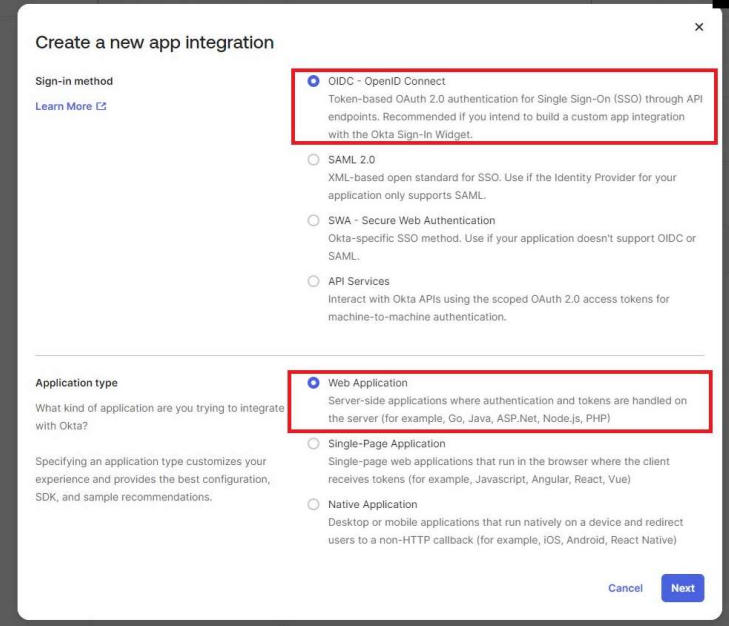
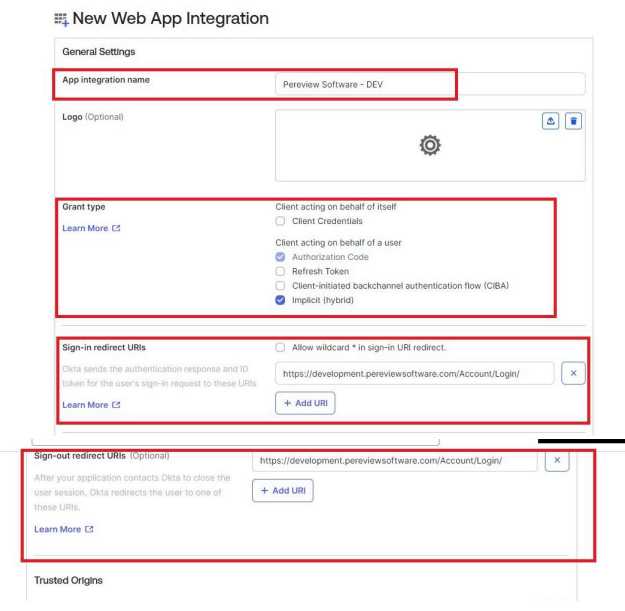
2. A popup will appear and ask you to select the sign in method and the Application type. Pereview OIDC is considered a web application.
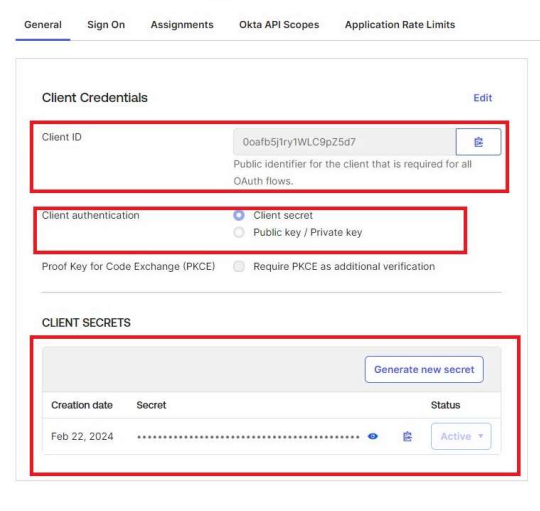
4. Once the application has been configured, the following fields need to be provided to Pereview.