
Now you can view and drill into the financing details for an asset, development, transaction, or disposition in a more intuitive, streamlined way.
What’s changed at a glance
|
Old Way |
New Experience |
|
Clicking on a loan opened a new browser tab or took over the current one. |
Loan details open in the same screen. |
|
The header details were replaced by loan details at the top of the page. |
The asset header and details stay on the page. |
|
A separate loan menu replaced the menu. |
The top-level menu stays in place and the loan menu is displayed below. |
|
To view another loan, you returned to the Financing list and clicked on it to open it separately. |
A loan dropdown lets you switch loans without leaving the asset. |
This walkthrough compares the user experience for an asset
The old way
Before, when you went to the Financing tab under an asset and clicked a loan, the loan opened in a new browser window or took over the existing tab.
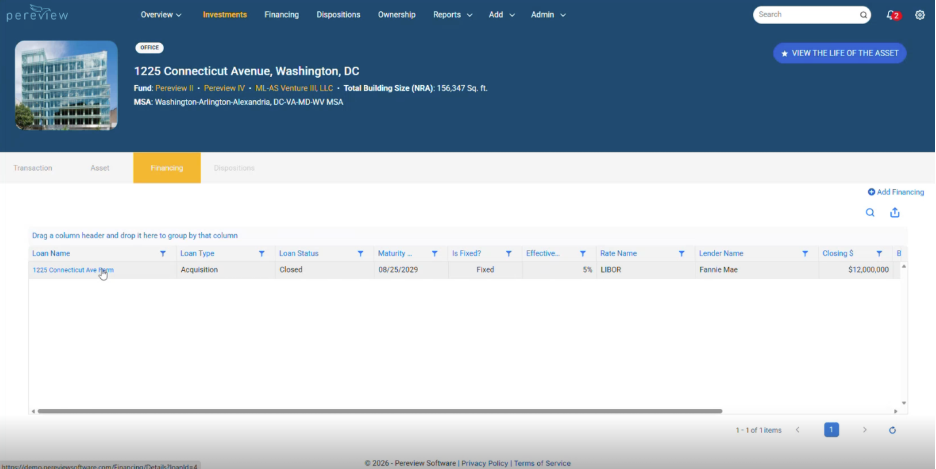
The view replaced the asset details at the top with loan details and the page navigation was loan specific.
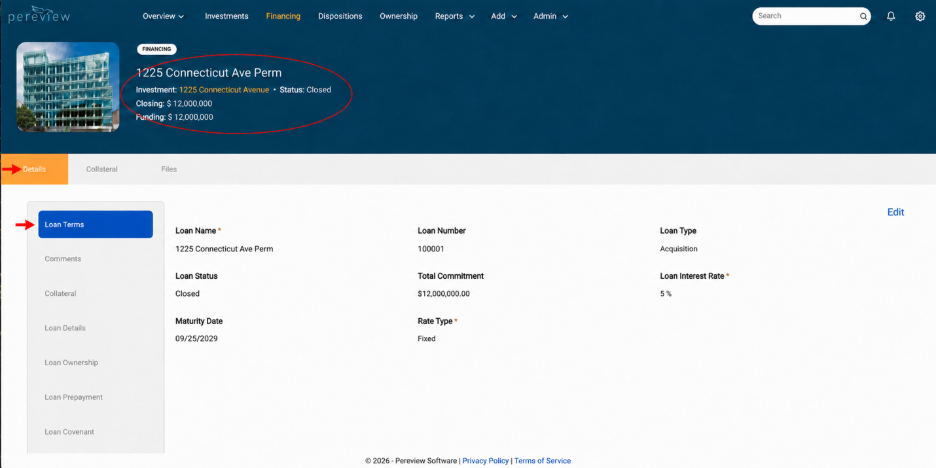
Additionally, to move between asset details and loan details, you had to navigate back and forth between the two views.
The new experience
Now you have a streamlined, continuous experience. Continuing with an asset, now the Financing information stays on the page, and the full list of loans is visible.
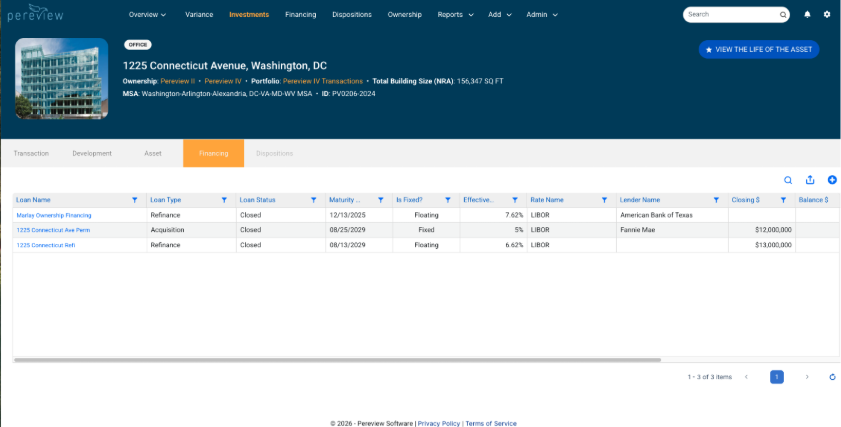
When you select a loan, its information appears on the same screen so you can view financing details easily.
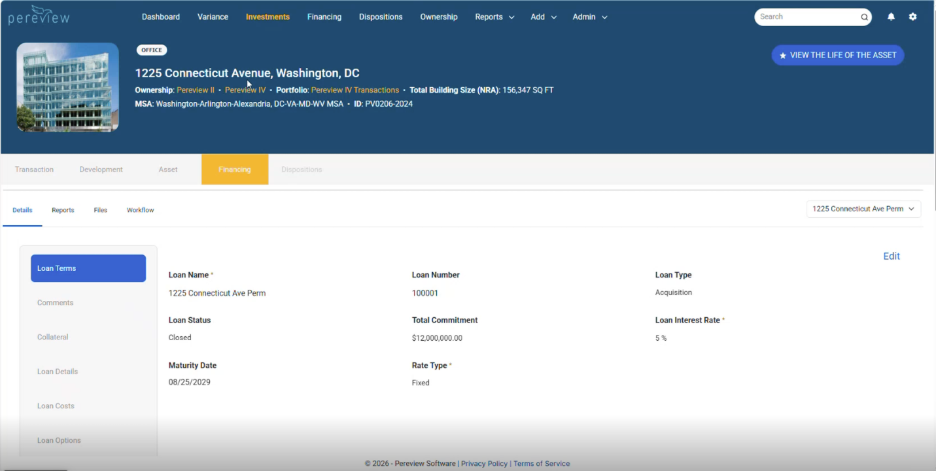
To review a different loan, use the drop-down and easily view and toggle them at your convenience.
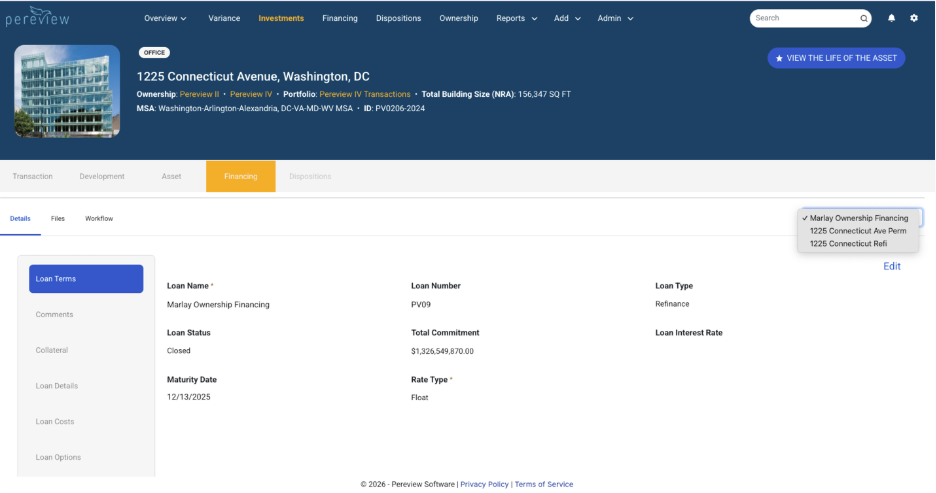
This new experience gives you the convenience and information you need right where you need it in one simplified view.
Frequently asked questions
Is this live in Pereview?
Yes. It is live in Pereview, and anyone with permission to view this information can view loan details this way.
What do I do if I have questions or issues?
Contact your client success team member by submitting a support ticket.