
Accessing the Client Portal
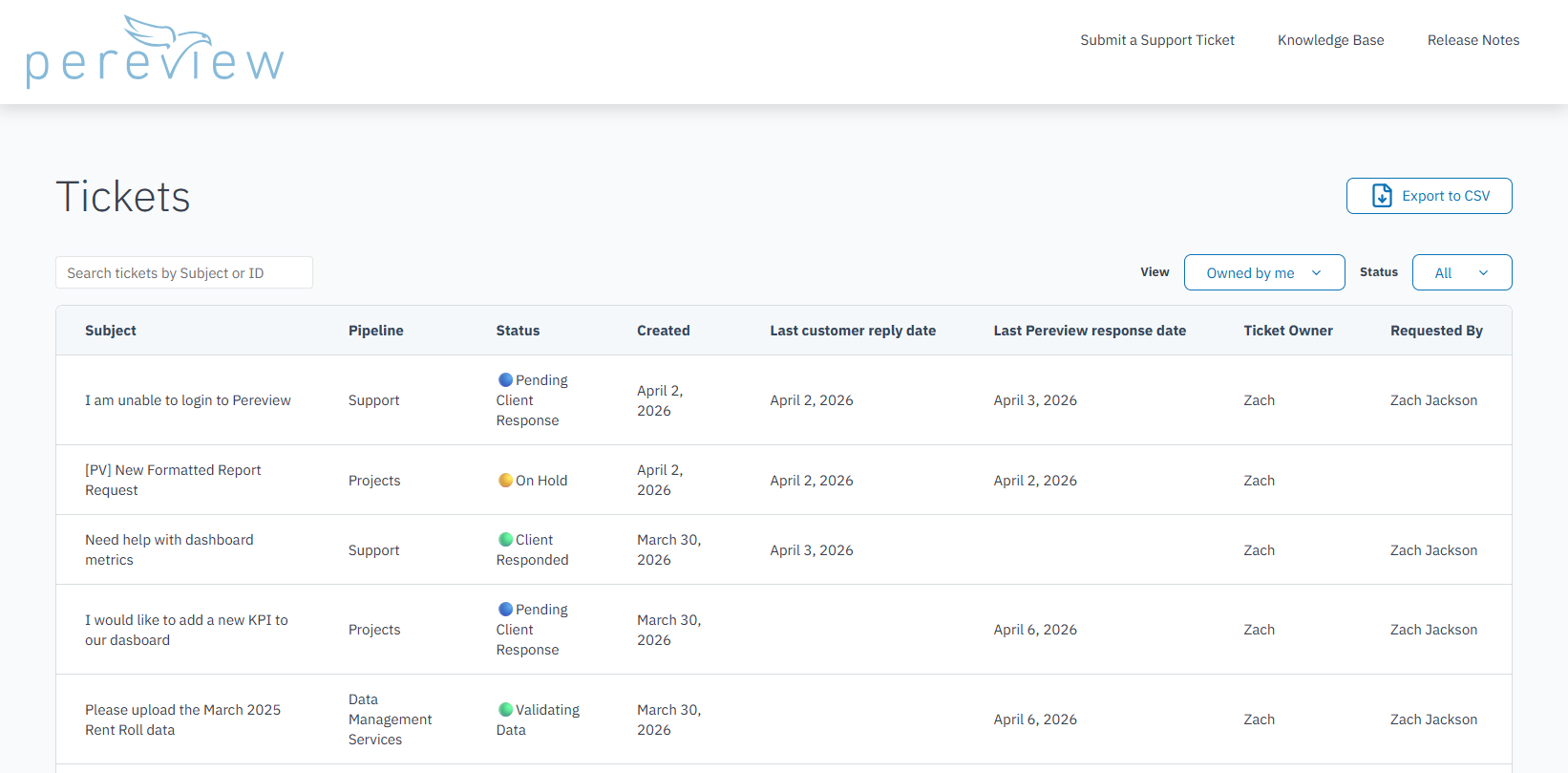
You can check the status of your requests at any time by visiting:
https://support.pereviewsoftware.com/tickets-view
If you do not currently have access, please email support@pereviewsoftware.com and our team will get you set up.
Understanding Ticket Pipelines
Pereview organizes requests into three pipelines to ensure the right teams are working on the right types of requests as efficiently as possible:
- Support → General platform questions, issues, and troubleshooting
- Data Management Services (DMS) → Data uploads, transformations, and validation
- Projects → More complex requests that require technical development or enhancements
While each pipeline reflects a different type of work happening behind the scenes, the statuses and color coding are standardized so you always have a consistent experience tracking progress, no matter the request type.
How to Read Ticket Statuses at a Glance
Each ticket is assigned both a status and a color, so you can immediately understand what’s happening:
- 🔴 Red → Newly received or being reassigned
- 🟢 Green → Actively being worked on by Pereview
- 🟡 Yellow → Temporarily paused or dependent on future timing
- 🟣 Purple → Waiting on a third party (e.g., property manager or operating partner)
- 🔵 Blue → Action required from you
As a rule of thumb:
- If you see blue, we’re waiting on you
- If you see green, we’re actively moving things forward
- Everything else indicates coordination, timing, or intake
If you have any questions, please reach out to your Client Support Manager at support@pereviewsoftware.com.