
Formatted reports are available as standard out of the box reports for all Pereview clients. If needed, formatted reports can be further customized or created by the Pereview team either during implementation or post go-live. Reports can also be hidden within Pereview if not needed.
*Note: Contact your Pereview client success manager or support@pereviewsoftware.com with questions about report customization.
Running a Report
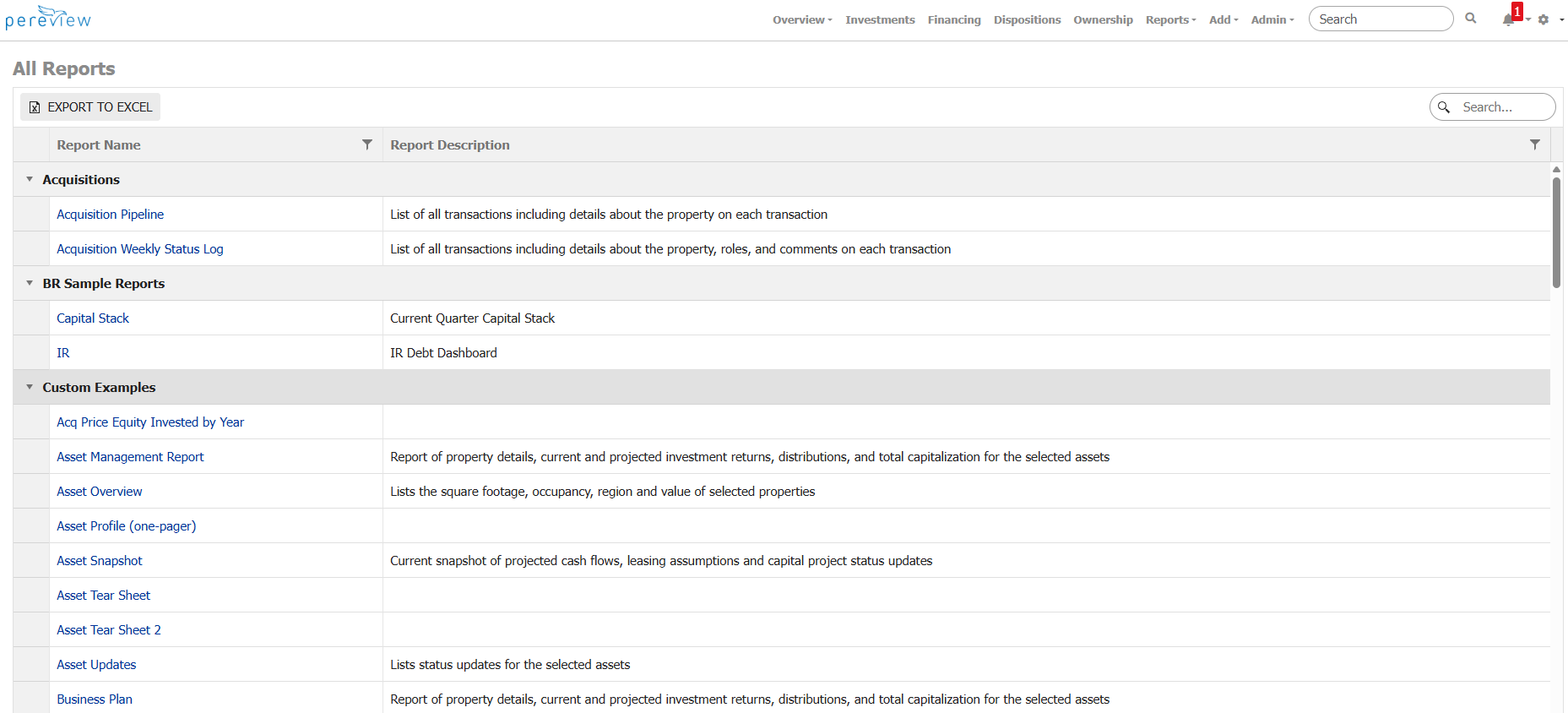
To run a report ,click on the hyperlinked report name in the report table. To quickly find a specific report, utilize the search field in the top right of the report table.
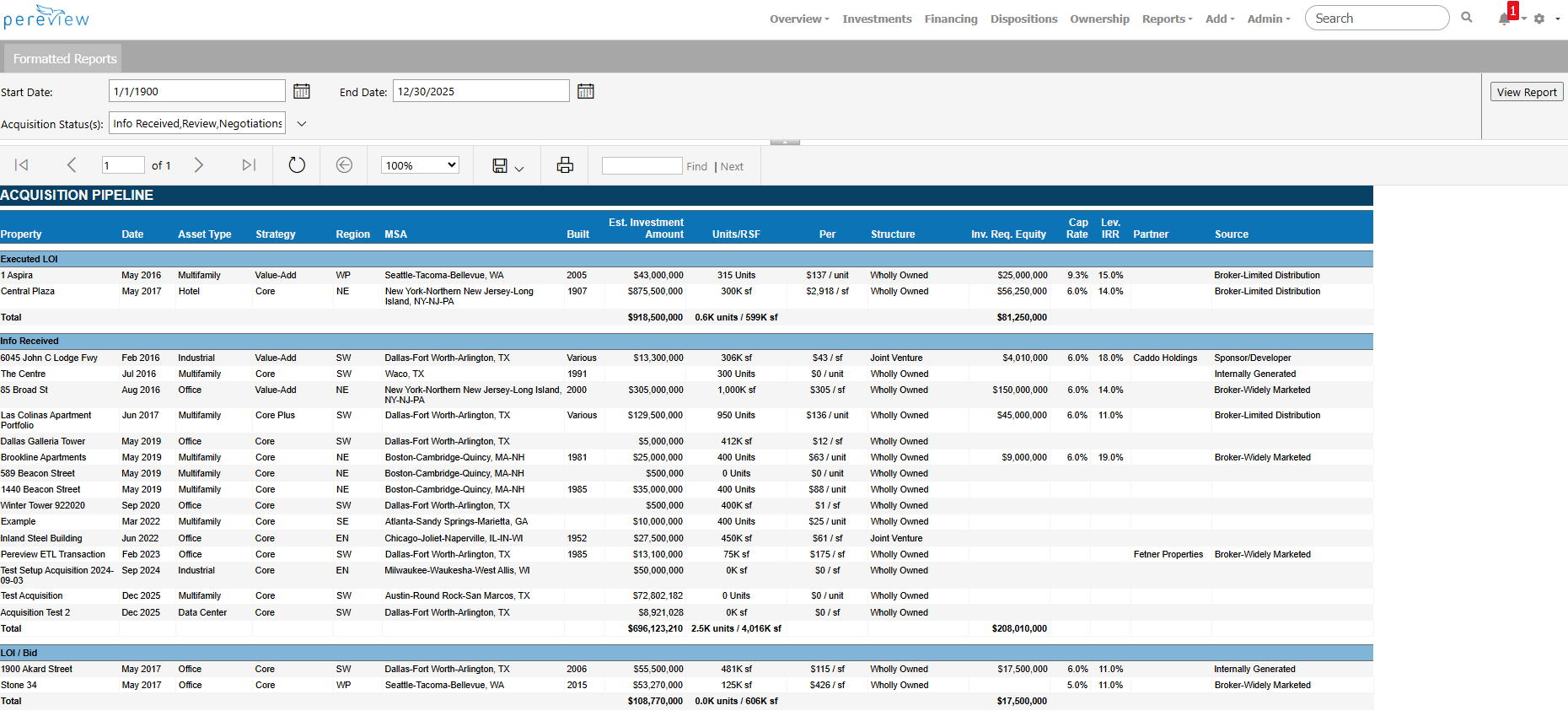
Depending on the report, you may have to select the appropriate parameters for the report and then click View Report. A list of example parameters is included below:
- Ownership(s): select the applicable Fund(s) to view the data for
- Portfolio(s): select the applicable Portfolio(s) to view the data for
- Asset(s) & Sub Asset(s): select the applicable Asset and/or sub-Asset to include in the report
- Account Hierarchy: Multiple versions of the Account Hierarchy can exist that control the grouping of accounts on a report; select the applicable account hierarchy to generate the report for
- Book Type(s): often for financial reports, which accounting book to generate for; often Accrual or Cash
- Hidden Rows: controls the report setting for whether to hide or show any hidden rows
- Account Codes: report setting where account codes are displayed with or without the name
- Start / End Dates: the applicable time period for the report to cover
- Scenario(s): data can be uploaded to an applicable scenario in the application (ex.: Actual vs. Budget); select the scenario to generate the report on
Report Specifications
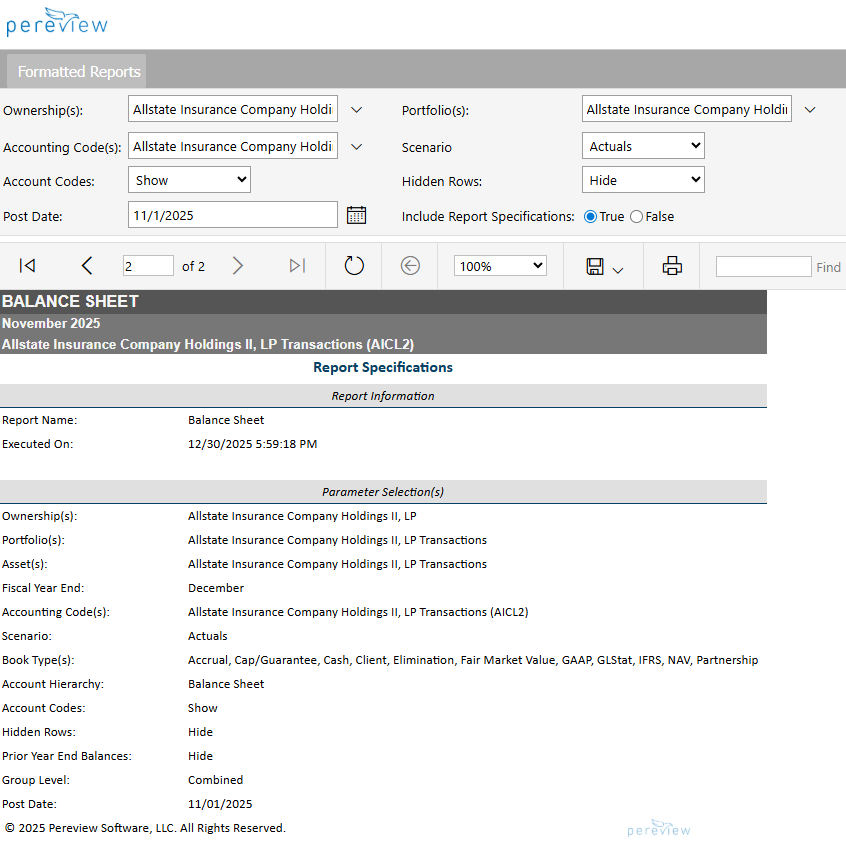
Some reports offer the option to include a Report Specifications page. If selected, once a report has been run, it will include a report specifications page with the report itself. This page will document when the report was run, as well as the parameters used to create the report.
Report Sourcing
Due to the extensive customization options available in Pereview, formatted reports that have been customized and built by Pereview include a sourcing key on the last page of the report. Often you may want to display a particular data point on your report under a different name or as part of a larger metric. Using the sourcing page, you can see which data points in Pereview correspond to which data points on your customized report.
Note: Report sourcing is a new feature in Pereview, so if you do not see a Sourcing page on your custom formatted report, contact your client success manager.
Below is a list of out-of-the-box formatted reports available on the Formatted Reports page. Reminder: Your list of available reports may differ from the below list due to the above customization options. Additionally, the metrics and calculations used to populate the below reports may also have been customized to your specific requirements.
|
Report Name |
Report Description |
|
Acquisition Pipeline |
List of all transactions, including details about the property on each transaction |
|
Acquisition Weekly Status Log |
List of all transactions, including details about the property, roles, and comments on each transaction |
|
Balance Sheet |
Financial statement summarizing assets, liabilities, and equity at a specific point in time |
|
Balance Sheet – Net Change |
Financial statement summarizing assets, liabilities, and equity at a specific point in time compared to the end of the prior year |
|
Balance Sheet by Property |
Financial statement summarizing assets, liabilities, and equity over a specified period of time grouped by Property |
|
Balance Sheet Over Period |
Financial statement summarizing assets, liabilities, and equity over a specified period of time |
|
Budget to Actuals Report |
Financial statement summarizing YTD income and expenses up to a specific date compared to YTD Budget |
|
Comments Report |
List of all comments added to portfolios and assets for a specified period of time |
|
Debt Summary |
Summary of outstanding debt with debt details by investment as of the specified date for the selected fund |
|
Disposition Report |
List of all properties and details related to its disposition |
|
Executive Summary of Operations |
Summarized report of Occupancy, Revenue, Expenses, Debt, and Capital YTD vs. Budget YTD at a specific point in time |
|
Financial Details Report |
List of transaction details entered for the specified accounting code(s) and Post Date(s) |
|
Financial Model Details Report |
List of Financial Model metrics and the values uploaded into Pereview for the specified Model |
|
Financial Model Listing |
Listing of financial models uploaded for the selected model type(s) and scenario(s) |
|
Financial Upload Status |
Report displaying which Accounting Codes have GL Transactions, Rent Rolls, and Financial Models uploaded for the specified period of time |
|
Financing Summary |
List of loan details associated with the selected fund |
|
Financing Summary By Portfolio |
List of loan details associated with the selected portfolio |
|
Floor Summary Report |
Summary of occupancy and rent details by Unit Type for the selected asset |
|
Income Statement |
Financial statement summarizing income and expenses for a specific date compared to YTD |
|
Income Statement by Property |
Financial statement summarizing GL transactions over a specified period of time, grouped by Property |
|
Income Statement Over Period |
Financial statement summarizing income and expenses over a specified period of time |
|
Investment and Property Details |
Report of property details, current and projected investment returns, distributions, and total capitalization for the selected assets |
|
Investment Report YTD |
Dashboard of acquisition and investment statistics |
|
Investments Summary |
List of asset metrics for each investment grouped by property type for the selected fund |
|
Lease Over Lease |
Chart that displays unit rent of the selected assets and how rent changed over the specified period of time |
|
Loan Summary |
Report of loan details for the selected loan |
|
Market Value Debt By Fund |
Chart of debt that will mature over the next 12 months by quarter, grouped by property type for the selected fund |
|
Occupancy by Asset |
List of occupancy details for the selected assets as of the specified date |
|
Rent Roll Details Report |
List of Rent Roll details entered for the specified Asset(s) and Effective Date(s) |
|
Statement of Cash Flow |
Financial statement of operating, investing, and financing activities that affect the cash balance for the specified date |
|
Statement of Cash Flow Over Period |
Financial statement of operating, investing, and financing activities that affect the cash balance for the specified period of time |
|
Statement of Operations |
Financial statement summarizing income and expenses for a specific date compared to YTD and Actual vs. Budget |
|
Tear Sheet |
Report of property and deal details for the selected transaction |
|
Tenant Exposure Report |
List of all tenants and their lease and rent details whose Tenant Name match the specified search criteria (use % for wildcard) |
|
Tenant Health |
Chart of Sales and Rent by Tenant for the selected Asset |
|
Tenant Lease Address |
List of asset, tenant and lease details for the selected Asset(s) |
|
Tenant Lease By Asset |
List of all tenants and their lease and rent details whose Tenant Name match the specified search criteria for the selected assets |
|
Trial Balance |
Financial Statement displaying Trial Balance |