
The Field Configuration allows users to modify the display text of certain fields in Pereview.
Navigate to field configuration via Admin dropdown in top navigation bar, select site and then Field Configuration from the left-hand navigation pane.
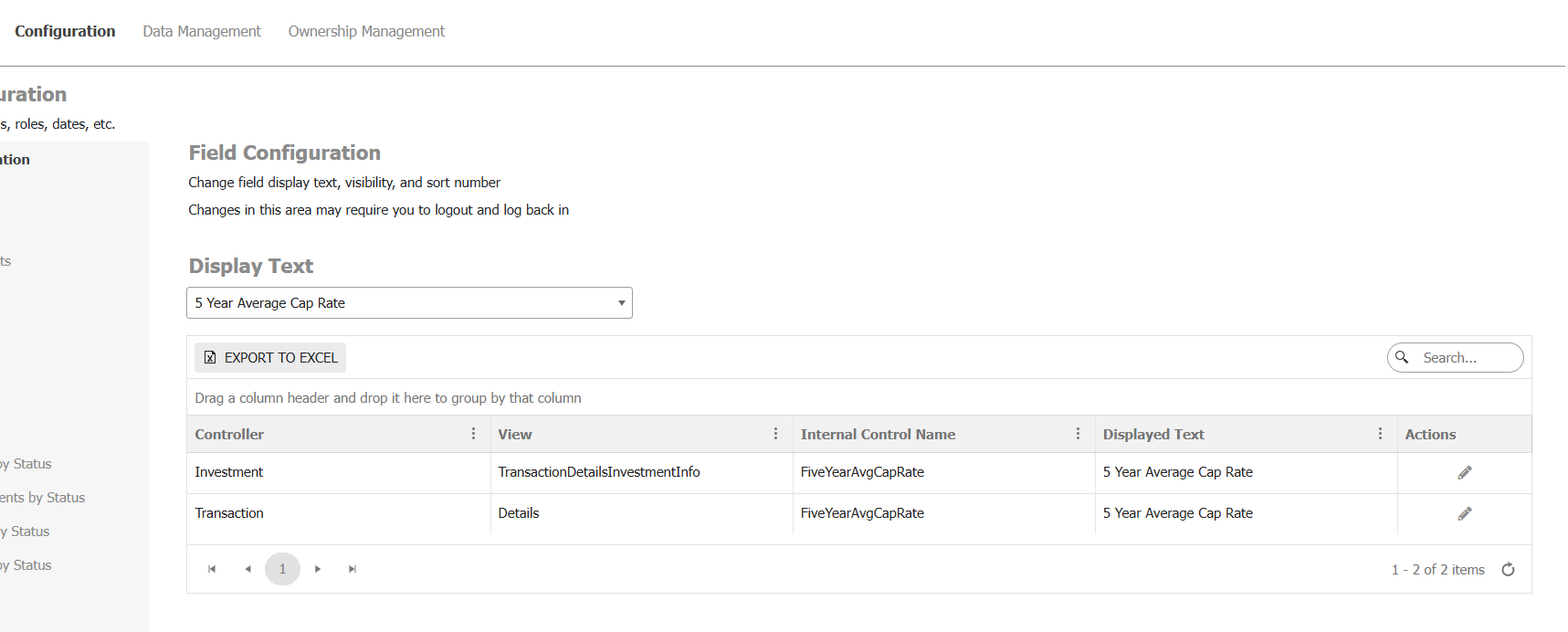
To edit a field, first select the field you want to edit from the dropdown under the Display Text header. Once selected, the table will display the various locations of that field.
Controller and View refer to the location of the field. Example: In the screenshot below, you can find one of the locations on the Transaction Details page.
Internal Control Name is the original field name and what the field is stored as in our database.
Displayed Text is how the field is presented within the application.
For each location, you can click the edit icon under Actions to modify the Displayed Text.
Note: Any changes made in this section are global changes that will be applied sitewide.
For additional functionality, such as hiding, contact Pereview Software Support.