
Custom Forms are used to capture evolving asset-level data—ESG metrics, tax credits, box score ratings, and other attributes that change over time. Without a last-updated indicator, there was no way to tell whether a form entry was current or stale, or who to follow up with if data appeared incorrect.
What does it do?
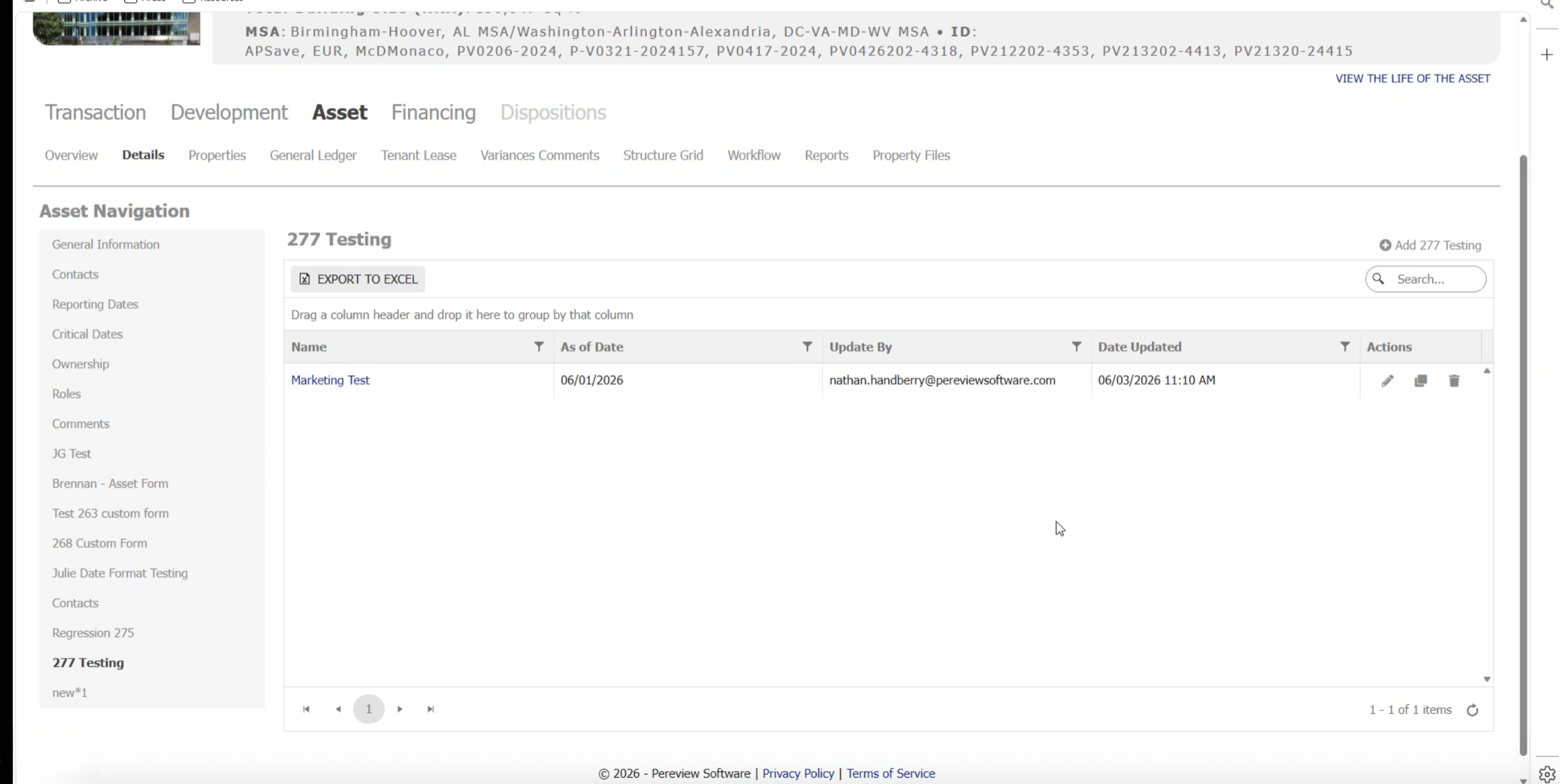
Custom Form records now display the date and time of the most recent edit alongside the name of the user who made it. This metadata is visible directly on the form record.
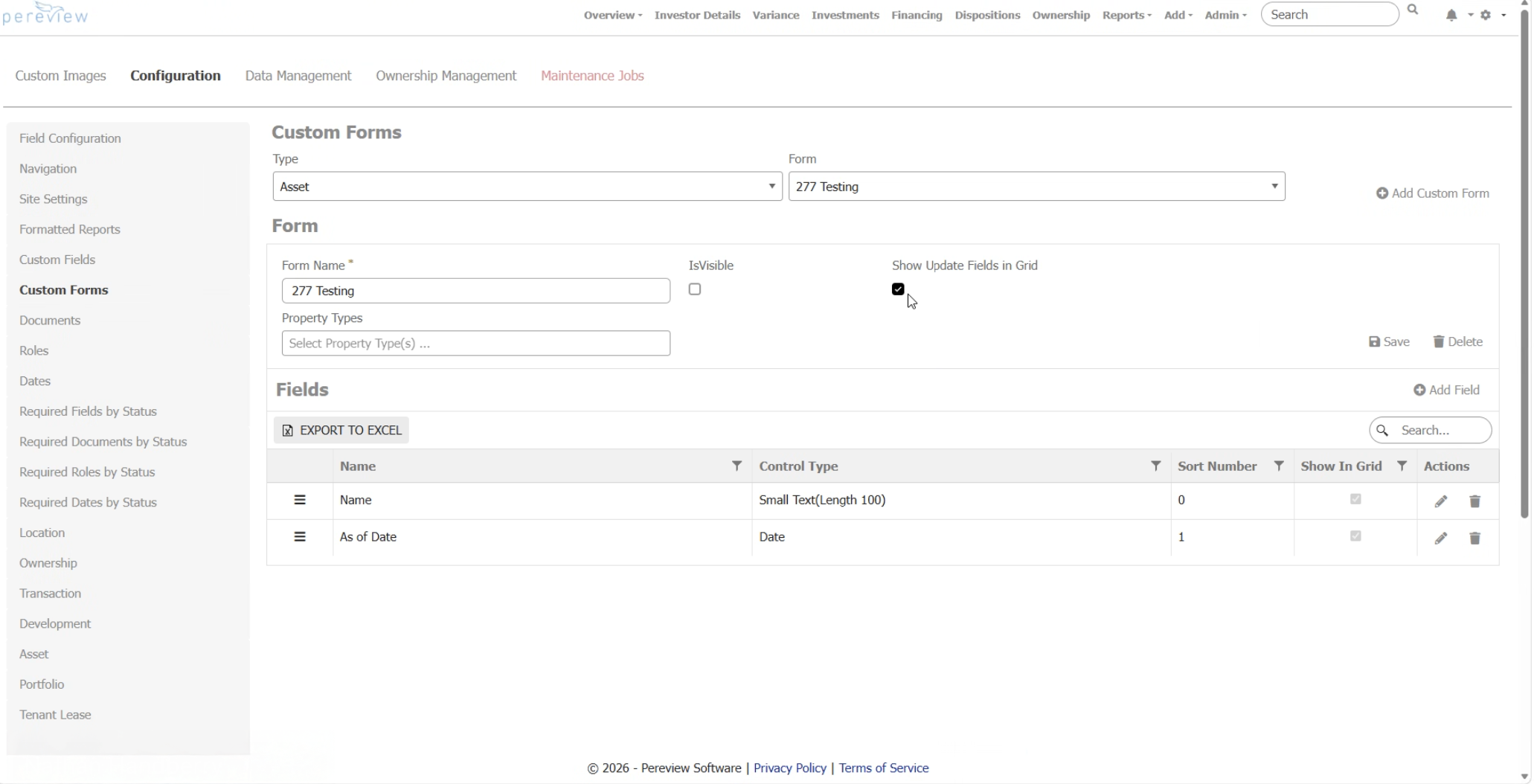
Have your Site Admin login to configure this and you will easily be able to see the timestamp and name of the last user to edit a record for the forms you choose.
Go to the Asset menu > select an Asset > Custom Forms tab
Once this is configured, you will be able to view the last time and date update by user.
How will clients use it?
- Portfolio and asset managers can scan form records to confirm data freshness before pulling it into reports or investor packages.
- In multi-user environments, the “By” field identifies who last touched the record, enabling faster follow-up when data needs clarification.