
Pereview Analytics is a powerful in-app reporting tool that allows you to build customized reports & dashboards leveraging the Power BI platform.
To navigate to the Pereview Analytics section of Pereview, select Reports in the top navigation bar and then select Pereview Analytics from the dropdown.
Once the analytics page opens, use the navigation panel on the left side of the screen to click on Reports to view any previously built Pereview Analytics reports.
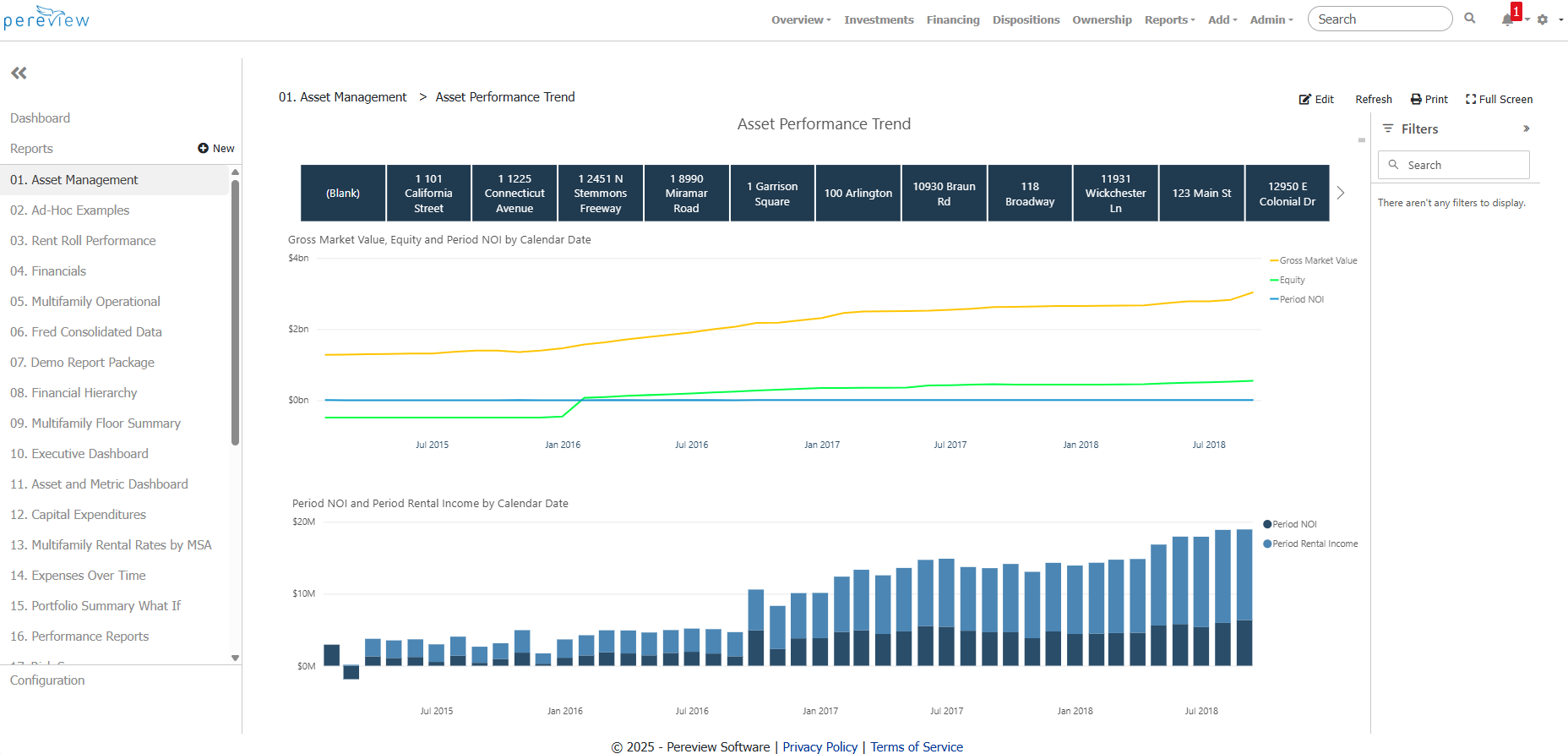
Build a New Pereview Analytics Report
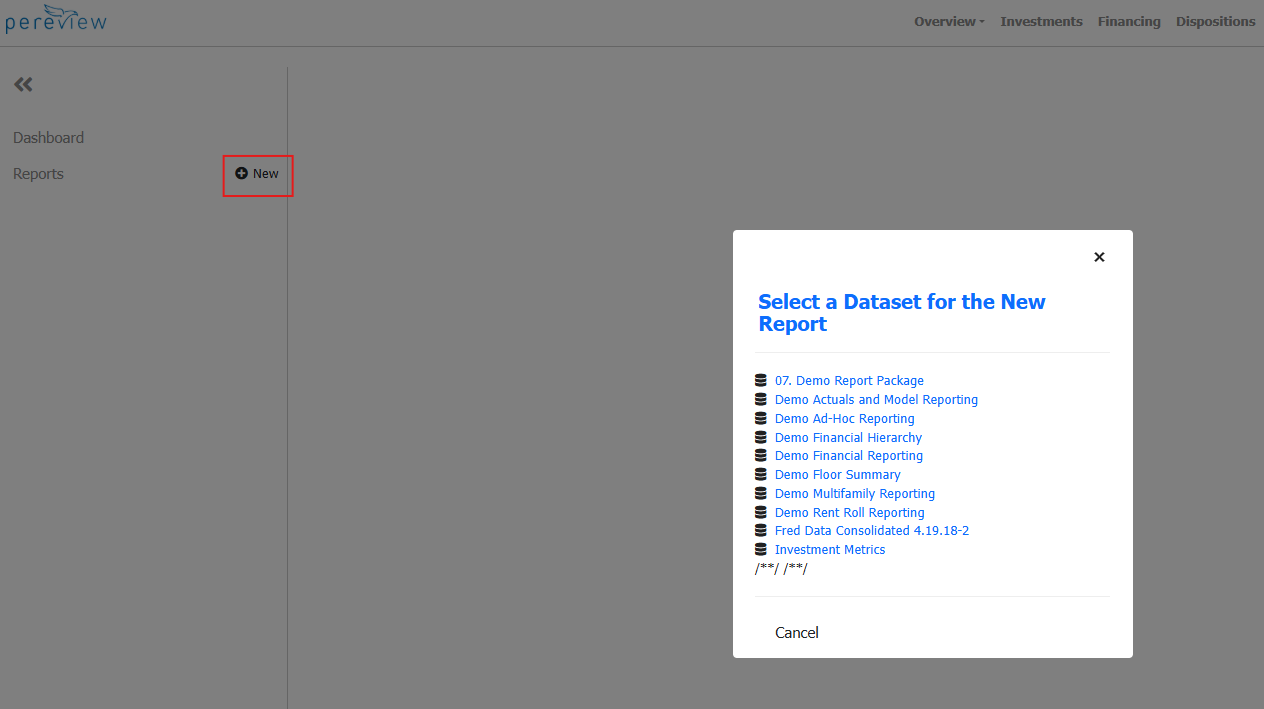
To begin building a new report, click on the + New Button next to Reports in the left-hand navigation panel.
A pop-up will appear asking you to select which data set you would like to use to build your report.
Once the correct data set is selected, the familiar Power BI interface will load with your data, visualization tools, and filters on the right. As you select various data types, filters, and visualizations on the right, your report will begin to take shape on the left.
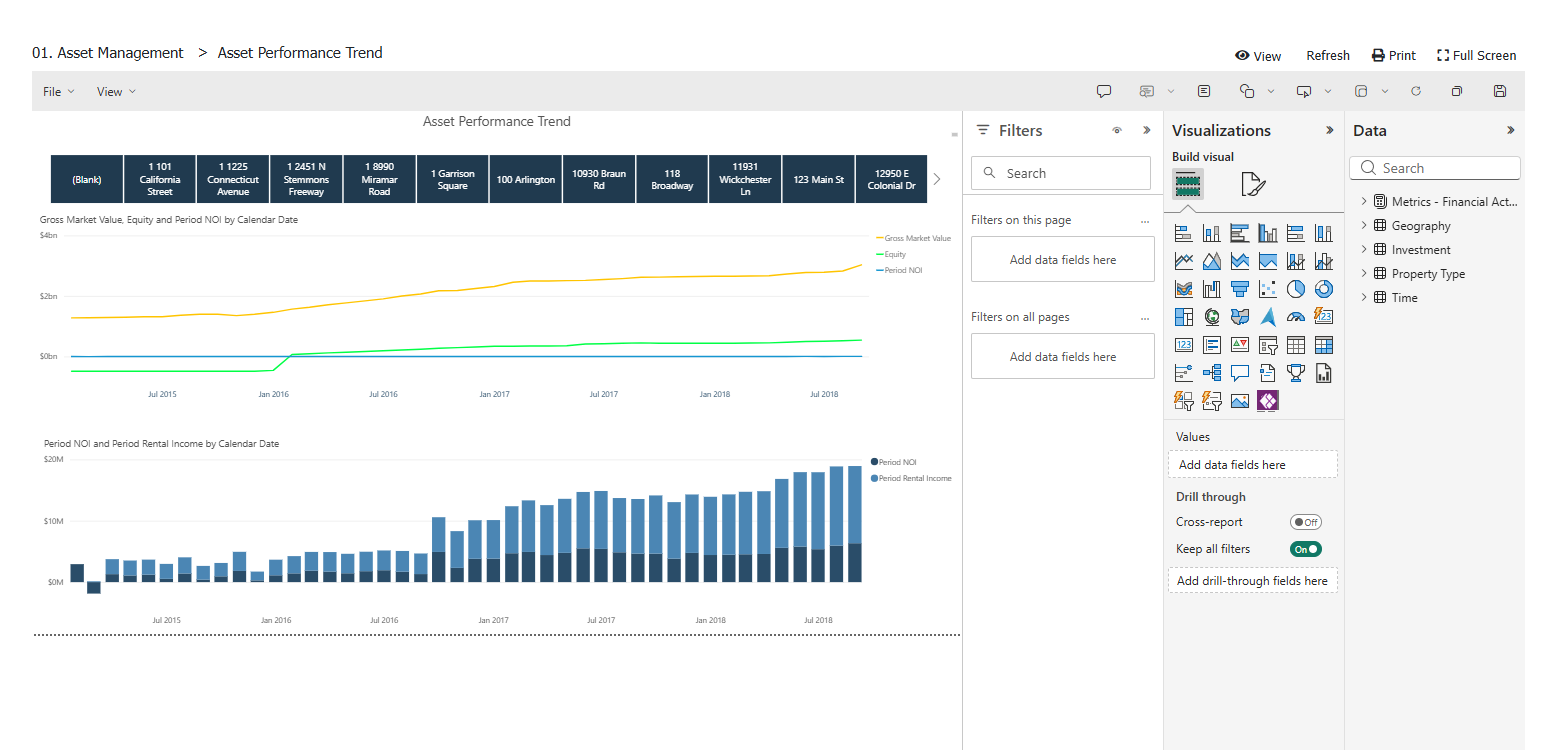
Once the report is built, use File > Save As to save it to the reports section of Pereview Analytics.
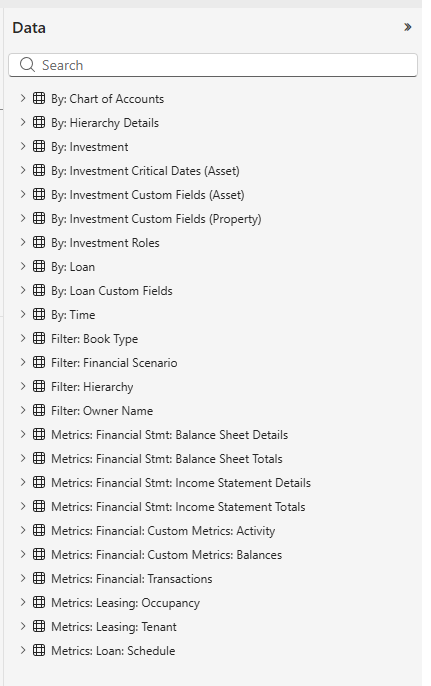
Below is a high-level view of the data available to leverage via Pereview Analytics.
For a more detailed walkthrough and examples of the Pereview Analytics tool in use, see the below videos: